How to Build a Gesture-Controlled Particle System Using Google AI Studio, Three.js, and MediaPipe
How to Build a Gesture-Controlled Particle System Using Google AI Studio, Three.js, and MediaPipe
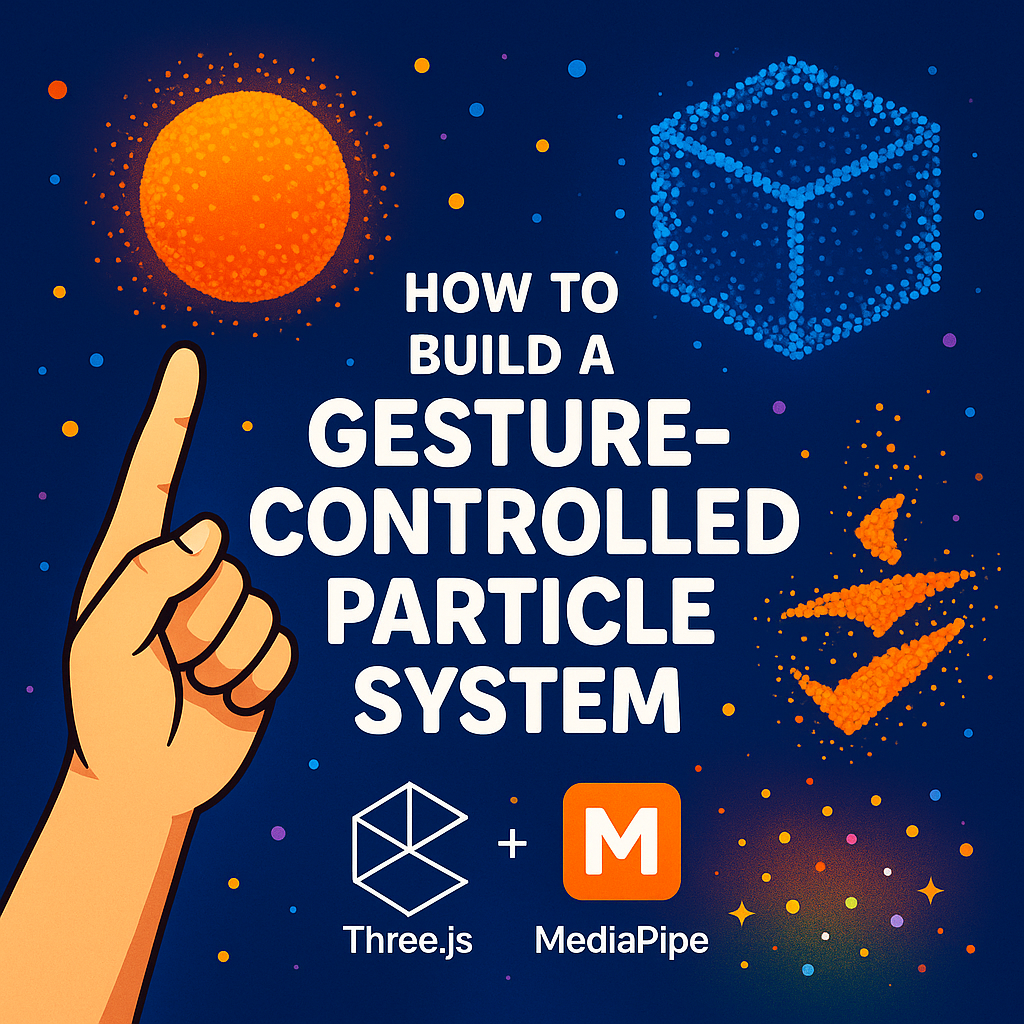


Ever wanted to wave your hand and watch thousands of glowing particles snap into a sphere, cube, or logo in mid-air?
In this tutorial, you’ll learn how to recreate exactly that: a gesture-controlled 3D particle system you can control with your fingers, built using:
- Google AI Studio (to help you generate and tweak the code)
- Three.js for real-time 3D rendering
- MediaPipe Hands for webcam-based hand tracking
- A single HTML file you can run in any modern browser
You’ll end up with a demo where:
- ☝️ 1 finger → sphere
- ✌️ 2 fingers → cube
- 🤟 3 fingers → UT San Antonio logo (UTSA)
- ✋ 4 fingers → random color change
- 🖐 5 fingers → AI Cowboys logo (represented as a stylized “face” shape you can customize)
CLICK PICTURE TO WATCH VIDEO OR CLICK HERE

What Tools and Sites You’ll Use
Here’s everything you need:
Websites / URLs
- Google AI Studio (Gemini):
- 👉 https://aistudio.google.com/
- Three.js:
- 👉 https://threejs.org/
- MediaPipe Hands docs:
- 👉 https://developers.google.com/mediapipe/solutions/vision/hand_landmarker
On your computer
- Any text editor (VS Code, Sublime, Notepad, etc.)
- A modern browser (Chrome, Edge, Firefox, Brave)
- A webcam (built-in or USB)
Step 1 — Use Google AI Studio to Help You
We’ll use Google AI Studio as your coding copilot.
- Go to https://aistudio.google.com/
- Start a New Chat (Gemini 2.0 / latest model).
- Paste this prompt:
Help me build a single HTML file that creates a full-screen gesture-controlled 3D particle system.

Requirements:
- Use Three.js from a CDN for rendering.
- Use MediaPipe Hands and camera_utils from CDN to track one hand from the webcam.
- Show a small mirrored webcam preview in the bottom-right.
- Create a particle system (6000+ points) in Three.js.
- Use finger count as gestures:
  1 finger -> show a rotating sphere made of particles.
  2 fingers -> show a rotating cube made of particles.
  3 fingers -> form a UT San Antonio shield-style logo from particles.
  4 fingers -> keep the current shape but randomize colors.
  5 fingers -> form an AI Cowboys logo or stylized face from particles.
- Add a UI panel on the left that shows:
  - current finger count
  - gesture name
  - a direction indicator (UP/DOWN/LEFT/RIGHT/CENTER) based on hand position
  - a simple tracking status dot (green when hand detected).
- Put all HTML, CSS, and JS in one file so I can save it as index.html and open it in my browser.
Gemini will usually generate something close.
To make life easier for your readers, we’ll give them the final, working code next—so they can skip straight to copy-paste if they want.
Step 2 — Copy This Full HTML File
*** SCROLL TO BOTTOM OF PAGE FOR CODE***
Step 3 — Run It on Your Computer
Tell readers to:
- Save the file as index.html in a folder (e.g., gesture-particles/).
- Open that folder.
- Double-click index.html to open it in Chrome (or any modern browser).
- Allow camera permissions when the browser asks.
- Hold your hand up to the camera and try:
- 1 finger → sphere
- 2 fingers → cube
- 3 fingers → UTSA logo
- 4 fingers → color change
- 5 fingers → AI Cowboys face/logo
If it doesn’t open properly, they can right-click → “Open With” → Chrome.
Step 4 — Use Google AI Studio to Customize
Now loop it back to AI Studio:
- Change colors? Ask Gemini: “Change the particle color palette to neon cyan and magenta.”
- New logo? Ask: “Replace the face shape with a particle rendering of my logo—draw a simple cowboy hat silhouette.”
- Performance tweaks? Ask: “Optimize this for lower-end laptops; reduce particle count but keep the effect smooth.”
They can copy the changed code from AI Studio and paste it back into index.html.
5-Question:
1. Do I have to use Google AI Studio to build this?
No. The full HTML file in this tutorial is complete on its own. AI Studio just makes it easier to modify, debug, and extend the project with natural language.
2. Is any of this “AI powered,” or just reactive graphics?
The hand tracking is powered by Google’s MediaPipe Hands model running in your browser. The 3D graphics are pure Three.js and WebGL.
3. Can I swap UTSA and AI Cowboys with my own brand?
Yes. Replace the generateUTSAData() and generateFaceData() drawing code with your own canvas drawing logic (or ask AI Studio to do it for you).
4. Why does the camera ask for permission?
MediaPipe needs access to your webcam frames to detect your hand. Nothing is sent to a server in this setup; it all runs locally in your browser.
5. Can this be hosted on a real website?
Definitely. You can drop this index.html on any static host—GitHub Pages, Netlify, Vercel, or any basic web server—and it will work as long as it’s served over HTTPS and the browser can access the webcam.
6-Links:
- Google AI Studio (Gemini)
- Three.js
- MediaPipe (Hands Solution by Google)
- UTSA – The University of Texas at San Antonio
- Main site: https://www.utsa.edu/
- The AI Cowboys
- Online Playground Options (for testing, if readers use them)
- CodePen: https://codepen.io/
- JSFiddle: https://jsfiddle.net/
- StackBlitz: https://stackblitz.com/
- Static Hosting Options (mentioned as examples)
- GitHub Pages: https://pages.github.com/
- Netlify: https://www.netlify.com/
- Vercel: https://vercel.com/
Step 2 — Copy This Full HTML File
“Copy everything below into a file called index.html.”
<!DOCTYPE html>
<html lang="en">
<head>
<meta charset="UTF-8">
<meta name="viewport" content="width=device-width, initial-scale=1.0">
<title>UTSA Particle System & Direction Capture</title>
<style>
@import url('https://fonts.googleapis.com/css2?family=Inter:wght@300;600;800&display=swap');
body { margin: 0; overflow: hidden; background-color: #050505; font-family: 'Inter', sans-serif; color: white; }
#canvas-container { position: absolute; top: 0; left: 0; width: 100vw; height: 100vh; z-index: 1; }
/* Camera Preview */
.input_video {
position: absolute; bottom: 20px; right: 20px;
width: 160px; height: 120px; border-radius: 12px;
opacity: 0.6; z-index: 2; transform: scaleX(-1);
border: 1px solid rgba(255,255,255,0.2);
object-fit: cover;
}
/* UI Panel */
#ui-panel {
position: absolute; top: 20px; left: 20px; width: 280px;
padding: 20px; background: rgba(12, 35, 64, 0.85); /* UTSA Blue */
backdrop-filter: blur(12px); border: 1px solid rgba(241, 90, 34, 0.3); /* UTSA Orange border */
border-radius: 16px; z-index: 10;
box-shadow: 0 8px 32px rgba(0,0,0,0.5);
}
h2 { margin: 0 0 10px 0; font-size: 18px; font-weight: 800; color: #F15A22; text-transform: uppercase; }
p { font-size: 11px; color: #ddd; margin-bottom: 15px; line-height: 1.5; }
.btn-grid { display: grid; grid-template-columns: 1fr 1fr; gap: 8px; margin-bottom: 15px; }
.btn {
background: rgba(255, 255, 255, 0.1); border: none; color: white;
padding: 10px; border-radius: 6px; cursor: pointer; font-size: 11px;
transition: 0.2s; font-weight: 600;
}
.btn:hover { background: rgba(255,255,255,0.2); }
.btn.active { background: #F15A22; color: white; box-shadow: 0 0 10px #F15A22; }
/* Feedback Areas */
.feedback-box {
background: rgba(0,0,0,0.3); padding: 12px; border-radius: 8px;
margin-bottom: 8px; text-align: center;
}
#finger-count { font-size: 24px; font-weight: 800; color: #fff; display: block; }
#gesture-name { font-size: 10px; text-transform: uppercase; color: #F15A22; letter-spacing: 1px; }
/* Direction Indicator */
#direction-display {
font-size: 14px; font-weight: 800; color: #4deeea;
text-transform: uppercase; letter-spacing: 2px;
}
.status { display: flex; align-items: center; gap: 8px; font-size: 11px; margin-top: 10px; opacity: 0.7; }
.dot { width: 8px; height: 8px; background: #444; border-radius: 50%; }
.dot.active { background: #00ff88; box-shadow: 0 0 5px #00ff88; }
</style>
<!-- Dependencies -->
<script src="https://cdnjs.cloudflare.com/ajax/libs/three.js/r128/three.min.js"></script>
<script src="https://cdn.jsdelivr.net/npm/@mediapipe/camera_utils/camera_utils.js"></script>
<script src="https://cdn.jsdelivr.net/npm/@mediapipe/hands/hands.js"></script>
</head>
<body>
<video class="input_video" playsinline autoplay></video>
<div id="canvas-container"></div>
<div id="ui-panel">
<h2>UTSA Controller</h2>
<p>
<b>1:</b> Sphere | <b>2:</b> Cube<br>
<b>3:</b> <span style="color:#F15A22">UTSA Logo</span> | <b>4:</b> Color<br>
<b>5:</b> Face (AI Cowboys placeholder)
</p>
<div class="btn-grid">
<button class="btn" id="btn-sphere" onclick="setShape('sphere')">Sphere (1)</button>
<button class="btn" id="btn-cube" onclick="setShape('cube')">Cube (2)</button>
<button class="btn active" id="btn-utsa" onclick="setShape('utsa')">UTSA (3)</button>
<button class="btn" id="btn-face" onclick="setShape('face')">Face (5)</button>
</div>
<div class="feedback-box">
<span id="finger-count">0</span>
<span id="gesture-name">Waiting...</span>
</div>
<div class="feedback-box">
<div style="font-size:9px; color:#aaa; margin-bottom:4px;">DIRECTION CAPTURE</div>
<span id="direction-display">CENTER</span>
</div>
<div class="status">
<div class="dot" id="statusDot"></div>
<span id="statusText">Init Camera...</span>
</div>
</div>
<script>
// --- CONFIGURATION ---
const config = {
particleCount: 6000,
particleSize: 0.5,
currentShape: 'utsa',
handTension: 0,
handPosition: { x: 0.5, y: 0.5 },
handActive: false,
lastFingerCount: -1,
gestureHoldTime: 0
};
// --- 1. THREE.JS SETUP ---
const container = document.getElementById('canvas-container');
const scene = new THREE.Scene();
scene.fog = new THREE.FogExp2(0x050505, 0.002);
const camera = new THREE.PerspectiveCamera(75, window.innerWidth / window.innerHeight, 0.1, 1000);
camera.position.z = 60;
const renderer = new THREE.WebGLRenderer({ antialias: true, alpha: true });
renderer.setSize(window.innerWidth, window.innerHeight);
renderer.setPixelRatio(window.devicePixelRatio);
container.appendChild(renderer.domElement);
// --- 2. PARTICLE SYSTEM ---
const geometry = new THREE.BufferGeometry();
const positions = new Float32Array(config.particleCount * 3);
const colors = new Float32Array(config.particleCount * 3);
const targetPositions = new Float32Array(config.particleCount * 3);
const targetColors = new Float32Array(config.particleCount * 3);
for (let i = 0; i < config.particleCount * 3; i++) {
positions[i] = (Math.random() - 0.5) * 200;
colors[i] = 1;
}
geometry.setAttribute('position', new THREE.BufferAttribute(positions, 3));
geometry.setAttribute('color', new THREE.BufferAttribute(colors, 3));
const canvasC = document.createElement('canvas');
canvasC.width = 32; canvasC.height = 32;
const ctxC = canvasC.getContext('2d');
ctxC.beginPath(); ctxC.arc(16,16,16,0,Math.PI*2); ctxC.fillStyle='#fff'; ctxC.fill();
const sprite = new THREE.CanvasTexture(canvasC);
const material = new THREE.PointsMaterial({
size: config.particleSize,
map: sprite,
vertexColors: true,
transparent: true,
opacity: 0.9,
depthWrite: false,
blending: THREE.AdditiveBlending
});
const particles = new THREE.Points(geometry, material);
scene.add(particles);
// --- 3. HELPERS FOR SHAPES ---
function drawRoundedRect(ctx, x, y, width, height, radius) {
ctx.beginPath();
ctx.moveTo(x + radius, y);
ctx.lineTo(x + width - radius, y);
ctx.quadraticCurveTo(x + width, y, x + width, y + radius);
ctx.lineTo(x + width, y + height - radius);
ctx.quadraticCurveTo(x + width, y + height, x + width - radius, y + height);
ctx.lineTo(x + radius, y + height);
ctx.quadraticCurveTo(x, y + height, x, y + height - radius);
ctx.lineTo(x, y + radius);
ctx.quadraticCurveTo(x, y, x + radius, y);
ctx.closePath();
ctx.fill();
}
function generateUTSAData() {
const size = 120;
const c = document.createElement('canvas');
c.width = size; c.height = size;
const ctx = c.getContext('2d');
const cx = size/2;
const cy = size/2;
ctx.clearRect(0,0,size,size);
// Blue outer ring
ctx.fillStyle = "#0C2340";
ctx.beginPath(); ctx.arc(cx, cy, 55, 0, Math.PI*2); ctx.fill();
// White inner ring
ctx.fillStyle = "#FFFFFF";
ctx.beginPath(); ctx.arc(cx, cy, 40, 0, Math.PI*2); ctx.fill();
// Orange shield
ctx.fillStyle = "#F15A22";
ctx.beginPath();
ctx.moveTo(cx - 25, cy - 20);
ctx.lineTo(cx + 25, cy - 20);
ctx.bezierCurveTo(cx + 25, cy + 10, cx + 15, cy + 30, cx, cy + 35);
ctx.bezierCurveTo(cx - 15, cy + 30, cx - 25, cy + 10, cx - 25, cy - 20);
ctx.fill();
// White stripes
ctx.strokeStyle = "#FFFFFF";
ctx.lineWidth = 4;
ctx.beginPath();
ctx.moveTo(cx - 22, cy - 10);
ctx.quadraticCurveTo(cx, cy, cx + 22, cy - 10);
ctx.stroke();
ctx.beginPath();
ctx.moveTo(cx - 18, cy);
ctx.quadraticCurveTo(cx, cy + 10, cx + 18, cy);
ctx.stroke();
// UTSA text
ctx.fillStyle = "#FFFFFF";
ctx.font = "bold 14px Arial";
ctx.textAlign = "center";
ctx.fillText("UTSA", cx, cy - 25);
return ctx.getImageData(0, 0, size, size);
}
function generateFaceData() {
const size = 100;
const c = document.createElement('canvas');
c.width = size; c.height = size;
const ctx = c.getContext('2d');
ctx.clearRect(0,0,size,size);
// Hat (stylized cowboy energy)
ctx.fillStyle = "#d63384";
ctx.beginPath(); ctx.moveTo(25, 35); ctx.lineTo(75, 35); ctx.lineTo(70, 10); ctx.lineTo(30, 10); ctx.fill();
drawRoundedRect(ctx, 15, 30, 70, 10, 5);
// Face
ctx.fillStyle = "#4deeea";
drawRoundedRect(ctx, 25, 40, 50, 45, 10);
// Eyes & smile
ctx.fillStyle = "#000000";
ctx.beginPath(); ctx.arc(40, 55, 5, 0, Math.PI*2); ctx.fill();
ctx.beginPath(); ctx.arc(60, 55, 5, 0, Math.PI*2); ctx.fill();
ctx.strokeStyle = "#000000"; ctx.lineWidth = 3;
ctx.beginPath(); ctx.arc(50, 60, 15, 0.2 * Math.PI, 0.8 * Math.PI); ctx.stroke();
return ctx.getImageData(0, 0, size, size);
}
// --- 4. SHAPE CONTROLLER ---
window.changeColor = function() {
for (let i = 0; i < config.particleCount * 3; i+=3) {
targetColors[i] = Math.random();
targetColors[i+1] = Math.random();
targetColors[i+2] = Math.random();
}
}
window.setShape = function(type) {
if (config.currentShape === type && type !== 'color') return;
if (type !== 'color') config.currentShape = type;
document.querySelectorAll('.btn').forEach(b => b.classList.remove('active'));
const btn = document.getElementById('btn-' + type);
if(btn) btn.classList.add('active');
if (type === 'face' || type === 'utsa') {
const imgData = (type === 'face') ? generateFaceData() : generateUTSAData();
const pixels = imgData.data;
const width = imgData.width;
const height = imgData.height;
const scale = (type === 'utsa') ? 0.6 : 0.5;
for (let i = 0; i < config.particleCount; i++) {
const i3 = i * 3;
let found = false;
for(let k=0; k<50; k++) {
const px = Math.floor(Math.random() * width);
const py = Math.floor(Math.random() * height);
const idx = (py * width + px) * 4;
if (pixels[idx+3] > 20) {
targetPositions[i3] = (px - width/2) * scale;
targetPositions[i3+1] = -(py - height/2) * scale;
targetPositions[i3+2] = (Math.random() - 0.5) * 4;
targetColors[i3] = pixels[idx]/255;
targetColors[i3+1] = pixels[idx+1]/255;
targetColors[i3+2] = pixels[idx+2]/255;
found = true; break;
}
}
if(!found) {
targetPositions[i3]=0;
targetPositions[i3+1]=0;
targetPositions[i3+2]=5000;
}
}
}
else if (type === 'color') {
window.changeColor();
}
else {
for (let i = 0; i < config.particleCount; i++) {
const i3 = i * 3;
let x, y, z;
if (type === 'sphere') {
const theta = Math.random() * Math.PI * 2;
const phi = Math.acos(2 * Math.random() - 1);
const r = 25;
x = r * Math.sin(phi)*Math.cos(theta);
y = r * Math.sin(phi)*Math.sin(theta);
z = r * Math.cos(phi);
targetColors[i3]=0.05; targetColors[i3+1]=0.14; targetColors[i3+2]=0.25;
}
else if (type === 'cube') {
const s = 35;
x = (Math.random()-0.5)*s;
y = (Math.random()-0.5)*s;
z = (Math.random()-0.5)*s;
targetColors[i3]=0.95; targetColors[i3+1]=0.35; targetColors[i3+2]=0.13;
}
targetPositions[i3]=x; targetPositions[i3+1]=y; targetPositions[i3+2]=z;
}
}
};
// --- 5. ANIMATION LOOP ---
let currentRotX = 0;
let currentRotY = 0;
const clock = new THREE.Clock();
function animate() {
requestAnimationFrame(animate);
const time = clock.getElapsedTime();
const posAttr = particles.geometry.attributes.position;
const colAttr = particles.geometry.attributes.color;
const expansion = 0.5 + (config.handTension * 1.5);
let targetRotY = time * 0.1;
let targetRotX = 0;
if (config.handActive) {
targetRotY = (config.handPosition.x - 0.5) * 4;
targetRotX = (config.handPosition.y - 0.5) * 4;
}
currentRotX += (targetRotX - currentRotX) * 0.1;
currentRotY += (targetRotY - currentRotY) * 0.1;
particles.rotation.x = currentRotX;
particles.rotation.y = currentRotY;
for (let i = 0; i < config.particleCount; i++) {
const i3 = i * 3;
const tx = targetPositions[i3];
const ty = targetPositions[i3+1];
const tz = targetPositions[i3+2];
const noise = Math.sin(time * 2 + i) * 0.2;
posAttr.array[i3] += (tx * expansion - posAttr.array[i3]) * 0.1;
posAttr.array[i3 + 1] += (ty * expansion - posAttr.array[i3+1]) * 0.1;
posAttr.array[i3 + 2] += (tz * expansion + noise - posAttr.array[i3+2]) * 0.1;
colAttr.array[i3] += (targetColors[i3] - colAttr.array[i3]) * 0.05;
colAttr.array[i3 + 1] += (targetColors[i3+1] - colAttr.array[i3+1]) * 0.05;
colAttr.array[i3 + 2] += (targetColors[i3+2] - colAttr.array[i3+2]) * 0.05;
}
posAttr.needsUpdate = true;
colAttr.needsUpdate = true;
renderer.render(scene, camera);
}
// --- 6. MEDIAPIPE & GESTURES ---
function updateDirection(x, y) {
const dirEl = document.getElementById('direction-display');
const dx = x - 0.5;
const dy = y - 0.5;
const threshold = 0.15;
let text = "CENTER";
if (Math.abs(dx) > Math.abs(dy)) {
if (dx < -threshold) text = "RIGHT";
else if (dx > threshold) text = "LEFT";
} else {
if (dy < -threshold) text = "UP";
else if (dy > threshold) text = "DOWN";
}
if (Math.abs(dx) < threshold && Math.abs(dy) < threshold) text = "CENTER";
dirEl.innerText = text;
}
function countFingers(lm) {
let count = 0;
if (Math.abs(lm[4].x - lm[17].x) > Math.abs(lm[2].x - lm[17].x)) count++;
if (lm[8].y < lm[6].y) count++;
if (lm[12].y < lm[10].y) count++;
if (lm[16].y < lm[14].y) count++;
if (lm[20].y < lm[18].y) count++;
return count;
}
function onHandsResults(results) {
if (results.multiHandLandmarks && results.multiHandLandmarks.length > 0) {
config.handActive = true;
document.getElementById('statusDot').classList.add('active');
document.getElementById('statusText').innerText = "Tracking";
const lm = results.multiHandLandmarks[0];
const d = Math.sqrt(Math.pow(lm[12].x - lm[0].x, 2) + Math.pow(lm[12].y - lm[0].y, 2));
const openness = Math.min(Math.max((d - 0.1) * 3, 0), 1);
config.handTension += (openness - config.handTension) * 0.2;
const hx = 1 - lm[5].x;
const hy = lm[5].y;
config.handPosition.x = hx;
config.handPosition.y = hy;
updateDirection(hx, hy);
const fingers = countFingers(lm);
document.getElementById('finger-count').innerText = fingers;
if (fingers === config.lastFingerCount) {
config.gestureHoldTime++;
} else {
config.lastFingerCount = fingers;
config.gestureHoldTime = 0;
}
if (config.gestureHoldTime === 10) {
const nameEl = document.getElementById('gesture-name');
switch(fingers) {
case 0: nameEl.innerText = "Fist"; break;
case 1: nameEl.innerText = "Sphere"; setShape('sphere'); break;
case 2: nameEl.innerText = "Cube"; setShape('cube'); break;
case 3: nameEl.innerText = "UTSA Logo"; setShape('utsa'); break;
case 4: nameEl.innerText = "Colors"; setShape('color'); break;
case 5: nameEl.innerText = "Cool Face"; setShape('face'); break;
}
}
} else {
config.handActive = false;
document.getElementById('statusDot').classList.remove('active');
document.getElementById('statusText').innerText = "No Hand";
document.getElementById('direction-display').innerText = "---";
}
}
async function initCamera() {
try {
const hands = new Hands({locateFile: (file) => `https://cdn.jsdelivr.net/npm/@mediapipe/hands/${file}`});
hands.setOptions({ maxNumHands: 1, modelComplexity: 1, minDetectionConfidence: 0.5, minTrackingConfidence: 0.5 });
hands.onResults(onHandsResults);
const videoElement = document.querySelector('.input_video');
const cameraUtils = new Camera(videoElement, {
onFrame: async () => { await hands.send({image: videoElement}); },
width: 320, height: 240
});
await cameraUtils.start();
} catch (e) {
alert("Camera Error: " + e.message);
}
}
setShape('utsa');
animate();
initCamera();
window.addEventListener('resize', () => {
camera.aspect = window.innerWidth / window.innerHeight;
camera.updateProjectionMatrix();
renderer.setSize(window.innerWidth, window.innerHeight);
});
</script>
</body>
</html>
